




JPG vs PNG: Which Format Should You Use When?
JPGPNG
In short
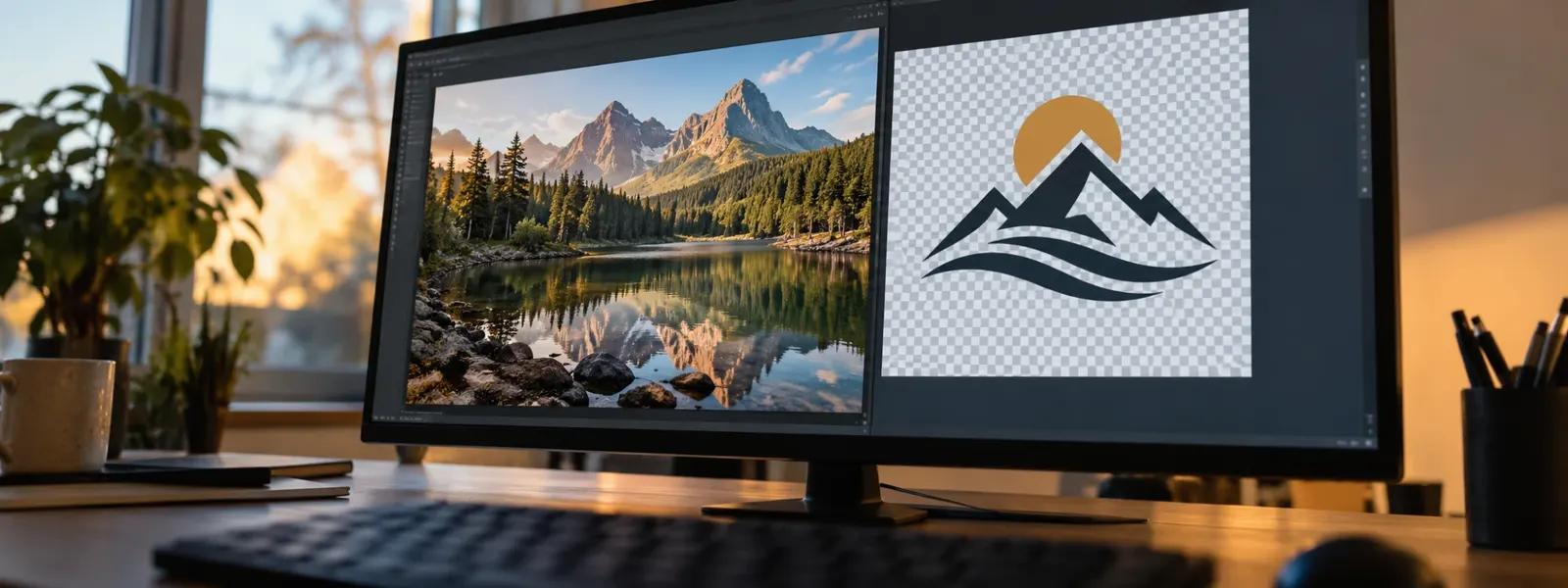
JPG vs PNG? Save photos as JPG, and screenshots, logos, graphics with text and anything with a transparent background as PNG. The catch: you often already have the wrong format. A photo as PNG is far too big for an upload portal, and converting can easily put a logo in a black box.
With our free PNG to JPG converter you convert many images at once, choose white as the background and often make photos five times smaller. Try it now with your images.
Convert PNG to JPG →You want to save or upload an image, and the program asks: JPG or PNG? Or the job application portal rejects your screenshot because it’s too big. The answer is usually simple once you know what each format does well and what it doesn’t.
JPG vs PNG compared
| JPG (JPEG) | PNG | |
|---|---|---|
| Compression | lossy, which keeps it small | lossless |
| Good for | photos | screenshots, logos, graphics, text |
| File size for photos | small | often five times larger |
| File size for graphics | often larger, blurry edges | small and sharp |
| Transparent background | no | yes |
| Quality when saved again | gets a bit worse each time | stays the same |
| Accepted | almost everywhere | almost everywhere |
Which format for which purpose?
| You want to … | Use | Why |
|---|---|---|
| Send a phone photo by email or WhatsApp | JPG | small, readable everywhere |
| Upload a job application photo or document | JPG | fits under the size limit |
| Send a screenshot with text | PNG | text stays sharp |
| Put a logo on a colored background | PNG | transparent background is kept |
| Edit an image several times | PNG | no loss every time you save |
| Print a photo | JPG (highest quality) | looks the same, smaller file |
| Put images on a website | JPG for photos, PNG for graphics | fast loading |
What is JPG?
JPG, short for JPEG, has been around since 1992. It’s the standard format for photos. JPG saves space by leaving out details your eye barely notices. With photos and their soft transitions, you don’t see it. With sharp edges, like text or lines, you get ugly smudges and fringes instead.
What is a PNG file?
PNG stands for “Portable Network Graphics” and has been around since 1996. A PNG file stores every pixel exactly as it is, so without any loss. To do this, it uses a method that packs repeating patterns into less space. That works very well for areas of a single color, like in screenshots or logos. With photos and their millions of different colors, it barely works.
PNG can also store transparent areas. That’s why logos and icons almost always come as PNG. There’s PNG-8 with at most 256 colors for simple graphics, and PNG-24 with full color.
A real file size test
We converted the same images with Filemanta (October 2026):
- A photo: 1.0 MB as PNG, 206 KB as a high-quality JPG. The JPG is five times smaller and looks the same.
- A simple graphic: 3.7 KB as PNG, 20 KB as JPG. Here the JPG is bigger, and the edges get blurry.
That shows you the rule of thumb: photos belong in JPG, graphics in PNG.
What happens when you convert
PNG to JPG: For photos, the file gets much smaller. JPG has to fill transparent areas with a color. Many programs use black, and your logo suddenly sits in a black box. With PNG to JPG you choose white or black yourself and set the quality in three levels. You can convert many images at once.
JPG to PNG: The image doesn’t get better. What was lost when saving as JPG stays lost. The file usually gets four to six times larger. This only makes sense if a program or form asks for PNG or you want to edit the image often. That’s what JPG to PNG is for.
Just renaming the extension doesn’t work in either direction. The guide How to change a file extension explains why.
Why JPG gets worse every time you save
Every time you open a JPG, edit it and save it as JPG again, it gets compressed again. After a few rounds, you see smudges at edges and in areas of a single color. Here’s how to avoid that:
- Keep the original and always edit a copy.
- Save in-between versions as PNG and only the final result as JPG.
- Choose high quality when saving as JPG.
What about WebP, HEIC and AVIF?
Besides JPG and PNG, you’ll come across three newer formats:
| Format | Where it comes from | Good to know |
|---|---|---|
| WebP | images from websites | smaller than JPG and PNG, but not every program opens it |
| HEIC | iPhone photos | about half the size of JPG, Windows needs an extension |
| AVIF | newer websites | even smaller, but not widely used yet |
For sending and uploading, JPG and PNG remain the safe choice. What exactly HEIC is, is explained in the guide What is a HEIC file.
FAQ
Is JPEG the same as JPG?
Yes. JPEG and JPG are the same format. Older versions of Windows only allowed three letters for an extension, hence the short form .jpg. You can simply rename a .jpeg file to .jpg, and nothing changes.
JPG or PNG for printing?
For photos, a high-quality, full-resolution JPG is enough. The print shop won't see a difference. For logos, graphics and text, PNG is better because edges stay sharp. Either way, make sure there are enough pixels: for a good-quality photo on a full Letter or A4 page, you need about 2,500 × 3,500 pixels.
Which format for WhatsApp?
For photos, JPG is ideal. WhatsApp compresses images anyway when you send them normally and turns them into JPGs. If you want to send an image without loss, like a screenshot with small text, send it as a document. Then the original arrives, whether it's JPG or PNG.
Which format for a job application photo or upload portal?
Usually JPG, because it's small and almost every portal accepts it. Still, read the requirements: many portals have a size limit of 1 to 5 MB. If your photo is a PNG, convert it to JPG, and it will almost always fit.
Does converting JPG to PNG make an image sharper?
No. What was lost when saving as JPG doesn't come back with PNG. The image looks exactly the same, but the file usually gets four to six times larger. JPG to PNG only makes sense if a program asks for PNG or you want to edit and save the image several times.
Why is my screenshot so large?
iPhone, Android and Windows usually save screenshots as PNG, so without loss. With text and menus, that's small and sharp. If the screenshot shows a photo or a video still, the PNG file quickly grows to several megabytes. As a JPG, it's often only a fifth of the size.
The key points
- Rule of thumb: photos as JPG; screenshots, logos, text and transparency as PNG.
- JPG compresses with loss, which keeps files small. PNG saves without loss.
- Only PNG supports transparent areas. JPG fills them with a color.
- A photo saved as PNG is often five times larger than as JPG.
- Converting JPG to PNG doesn't make an image sharper, just the file bigger.
- JPG loses a little quality every time you save it again, so keep the original.
Read next
What Is a HEIC File, and Why Won't It Open?
5 min read
How to Turn a JPEG into a PDF on Mac and Windows, Without Software
5 min readMatching tools
Try it now – 100% free, no server upload, right in your browser.PNG to JPG →