





How to Send a Picture as a PDF by WhatsApp, Email or Upload
PDFJPG
In short
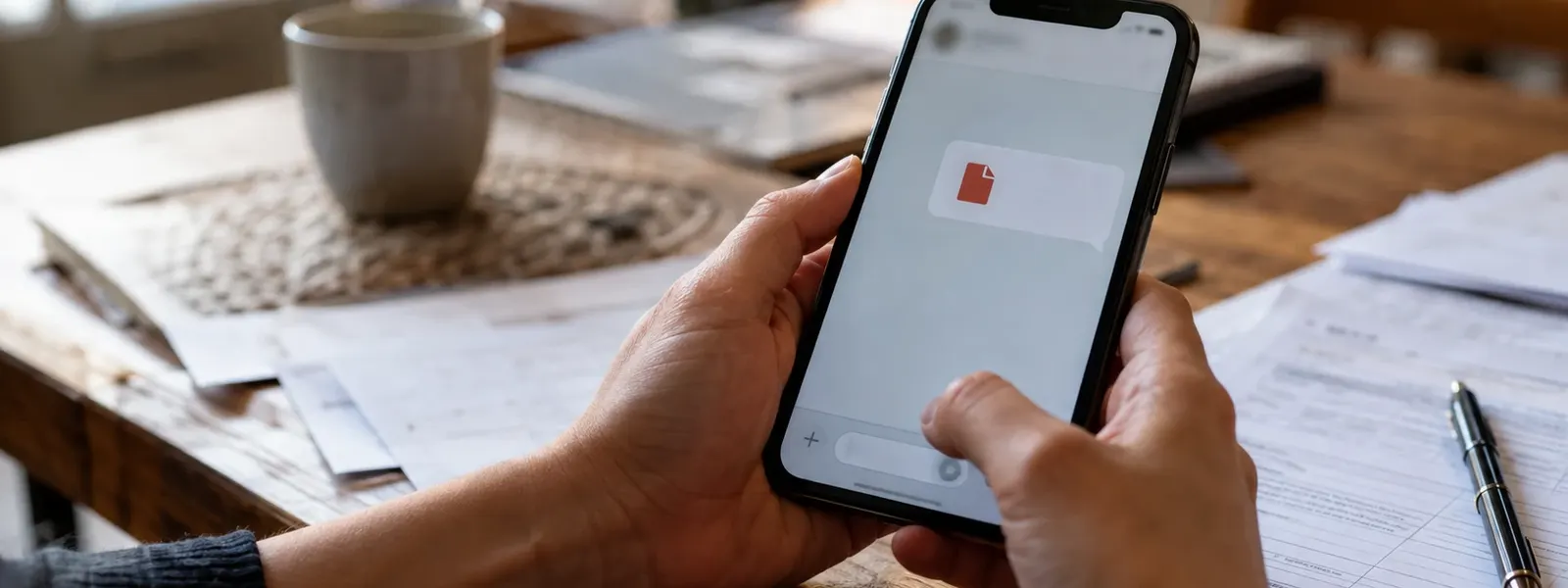
To send a picture as a PDF, first convert the photo to a PDF, then send that PDF by WhatsApp, email or upload form. The catch: sending the photo on WhatsApp as a document still sends a JPG, not a PDF.
With our free Image to PDF converter you turn one or more photos into a real PDF, in your order and small enough for email and portals. Try it now with your photo.
Convert photo to PDF →Your employer wants your doctor’s note as a PDF, the school wants the signed form, your landlord wants your pay stubs, and all you have is photos on your phone? Then just sending the photo won’t do. And the popular trick of sending it on WhatsApp as a document doesn’t turn it into a PDF either. Here’s how to make sure a real PDF arrives.
First: sending as a document doesn’t make a PDF
Many guides claim it does, but it doesn’t: when you send a photo on WhatsApp through Document, it arrives in full quality, but it’s still a JPG or HEIC. The recipient gets an image, not a PDF. If an office or a portal explicitly asks for a PDF, the file gets rejected.
So the rule is always: step 1 convert the photo to PDF, step 2 send the PDF.
Step 1: Convert the photo to a PDF
For a single photo, your phone’s built-in tools are enough. For several photos in one file, a fixed order or a file under a size limit, the browser method is easier.
- Android: Open the photo in Google Photos, choose Print from the three-dot menu and pick Save as PDF as the printer. All the methods are in the guide How to create a PDF file in mobile.
- iPhone: Share the photo, choose Print, tap Share again in Print Options and choose Save to Files. More in the guide How to make a PDF on iPhone from photos.
- On any device, in your browser: several photos, your own order, Letter or A4 and a smaller file. Here’s how:
- Open Image to PDF in the browser on your phone or computer.
- Tap Choose files and pick your photo or several photos.
- Drag the photos into the right order.
- Under Page, choose Letter or A4, and set File size to Smaller if needed.
- Tap Create PDF and then Download PDF. The PDF is then in your Downloads folder.
Your photos aren’t uploaded. The PDF is created on your device. For IDs, doctor’s notes or pay stubs, that’s a good reason not to use an online converter with a server upload.
Step 2: Send the PDF
How to send a PDF on WhatsApp
- Open the chat and tap the paperclip (Android) or the plus (iPhone).
- Choose Document, not Gallery or Photos.
- Find the PDF, usually in the Downloads folder, and tap Send.
In WhatsApp Web on a computer, click the plus and then Document. The recipient sees a PDF file with its name and page count.
By email
Attach the PDF in Gmail, Outlook or your mail app with the paperclip. Watch the size: Gmail allows 25 MB per email, Outlook usually 20 MB, and the recipient may have a lower limit. If the PDF is larger, make it smaller or split it across several emails.
Through an upload form
Job portals, government offices and insurance companies usually state a limit, often 2, 5 or 10 MB per file. Tap Choose file and find the PDF in Downloads or in the Files app. If it gets rejected, it’s usually too large or not a real PDF.
How to send several photos as one PDF
The front and back of your ID, three pages of a contract or all the receipts for an expense report: don’t send these as separate photos or separate PDFs. The recipient usually wants one file, in the right order.
The Print option on Android turns each photo into its own PDF, and on iPhone you can’t change the order. In the browser tool, you pick all the photos at once and drag them into place. How that works on every device is in the guide How to combine multiple photos into one PDF.
The PDF is too large?
Phone photos are often several megabytes each. Just three or four photos can make a PDF that a portal rejects.
- In the browser tool, set File size to Smaller. Each photo is then limited to 2,400 pixels on the long side, which stays easy to read.
- Crop the photos first, so only the document is visible.
- Photograph paper in good light, from directly above. A clear photo stays readable even when it’s made smaller.
Check before you send
- Does the file name end in .pdf?
- Is everything readable, even when you zoom in?
- Are the order and orientation right, and are all pages there?
- Does the file have a clear name, such as “Doctors-Note-Your-Name.pdf”?
- Is it going to the right person or address?
FAQ
Does a photo become a PDF if I send it as a document on WhatsApp?
No. Sending it as a document only sends the photo as a file in full quality. It stays a JPG or HEIC. If someone asks for a PDF, convert the photo to a PDF first, then send the PDF as a document.
How do I send several photos as one PDF?
Convert all the photos together into a single PDF, for example in your browser with Image to PDF. There you set the order, such as front first, then back. Then you send just that one file.
How large can a PDF email attachment be?
Gmail allows 25 MB per email, Outlook usually 20 MB. The recipient's inbox may have a lower limit. Upload portals often allow only 2 to 10 MB. With File size: Smaller in the browser tool, a PDF made from phone photos usually stays well below that.
How do I send a PDF on WhatsApp?
Open the chat, tap the paperclip (Android) or the plus (iPhone) and choose Document. Find the PDF in your files, usually in the Downloads folder, and tap Send. The recipient sees a PDF file with its page count.
How do I check that a real PDF arrives?
Look at the file name in the chat or the email draft: it has to end in .pdf. WhatsApp also shows the page count for PDFs. If the name ends in .jpg or .heic, you've picked the photo instead of the PDF.
The key points
- Sending a photo as a document doesn't make it a PDF. The file stays an image.
- Convert first, then send: on your phone with the Print option, or in your browser with page order and Letter or A4.
- Several photos, such as the front and back of an ID, belong in one single PDF.
- Email limits: Gmail 25 MB, Outlook usually 20 MB, portals often only a few MB.
- Before sending, check: does the name end in .pdf, and is everything readable and complete?
Read next
What Is a HEIC File, and Why Won't It Open?
5 min read
JPG vs PNG: Which Format Should You Use When?
4 min readMatching tools
Try it now – 100% free, no server upload, right in your browser.Image to PDF →